

If you are comparing dating options for mature singles, the real question about SeniorMatch is not just whether it has users, but whether the platform gives you enough value before asking for your credit card.
Unlike newer, swipe-heavy dating apps, SeniorMatch relies on a traditional, structured approach mixed with community-style features. To help you decide if it is worth your time, we completed the signup process and reviewed the account dashboard to see exactly what is available for free, where the paywalls appear, and how the subscription pricing is structured.
Bottom line: SeniorMatch enforces a strict age gate intended for singles over 50 and offers community-style interaction areas alongside traditional browsing. However, practical communication and advanced privacy features are locked behind a premium paywall, and users must pay close attention to auto-renewal billing terms before subscribing.
Table of Contents
Exploring options for mid-life or mature dating? See how SeniorMatch compares within our broader evaluation of the Best Dating Sites for Over 40.
What Is SeniorMatch?
SeniorMatch is an online dating platform explicitly designed for mature singles.
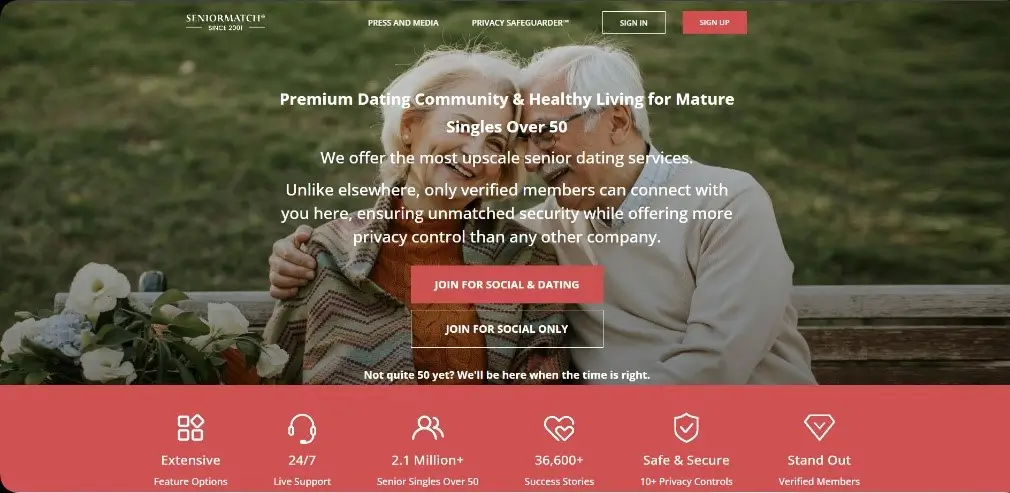
The platform’s homepage positions it as a “Premium Dating Community & Healthy Living for Mature Singles Over 50.” It does not cater to younger demographics looking to date older individuals; the system is built specifically for users within the same age bracket to find relationships, travel mates, or companion opportunities.
SeniorMatch does not feel like a pure swipe-first dating app. It leans more toward profile browsing, lists, community-style areas, and interaction prompts. This may appeal to older singles who prefer a slower, more structured environment, but it may feel less modern to users expecting a sleek app experience.
Quick Verdict: Who Should Consider SeniorMatch?
Who it may fit:
- Singles strictly over the age of 50 looking for peers.
- Users who prefer community-style features (like posts and forums) rather than just swiping on profiles.
- People who are willing to navigate a longer signup and email verification process.
Who should skip it:
- Anyone under 50 (the platform actively restricts younger signups).
- Users looking for a fully free messaging experience.
- Singles who prefer the fast-paced, modern interface of apps like Tinder or Bumble.
Signup, Email Verification, and Profile Setup
SeniorMatch does not offer a one-click signup experience. During our account walkthrough, we observed a setup process that requires specific details before you can fully access the dashboard.
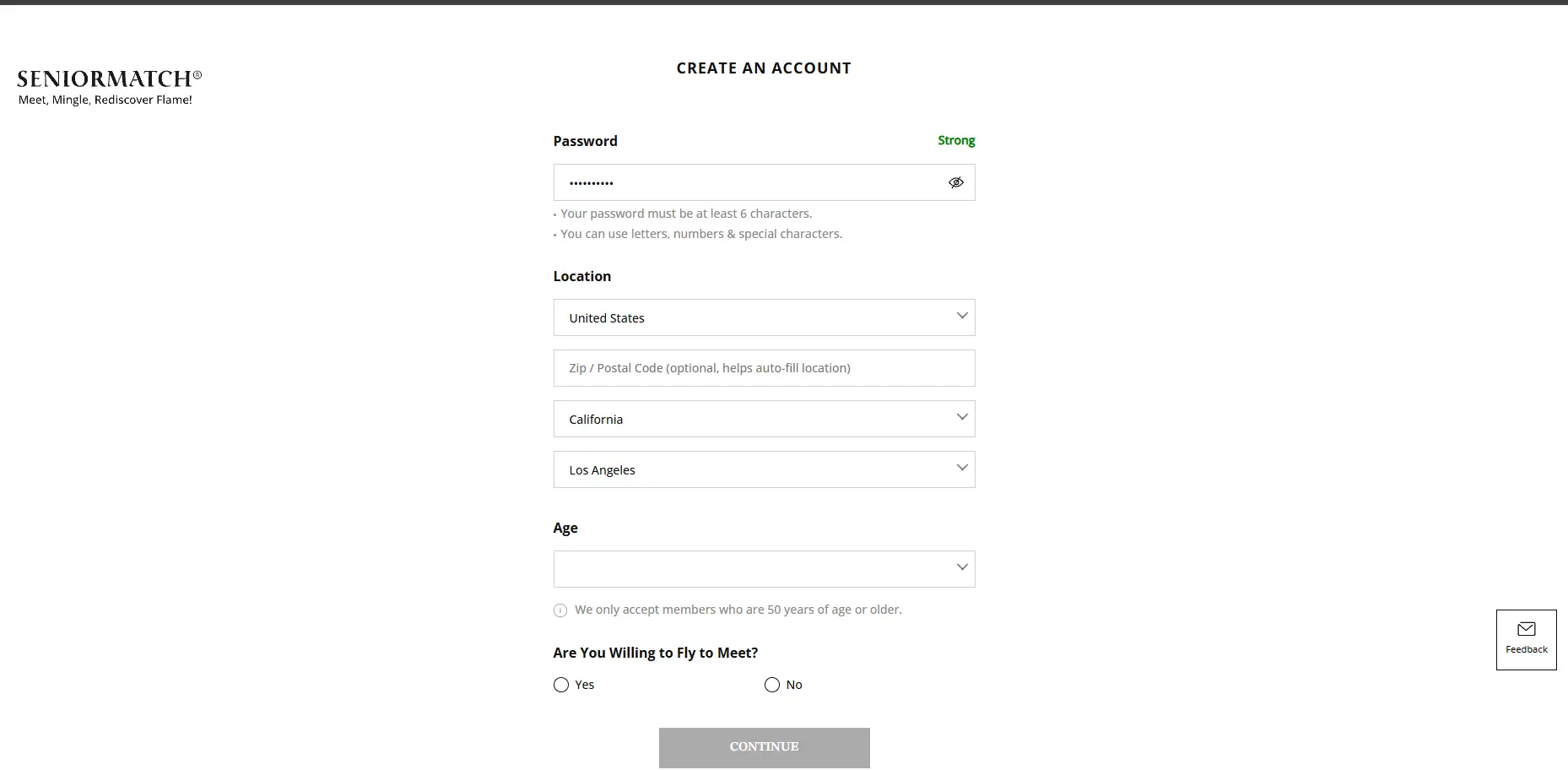
The signup flow features a strict age gate, requiring users to confirm they are 50 years of age or older. Additionally, the platform advises against using your real name for privacy reasons when creating a username.
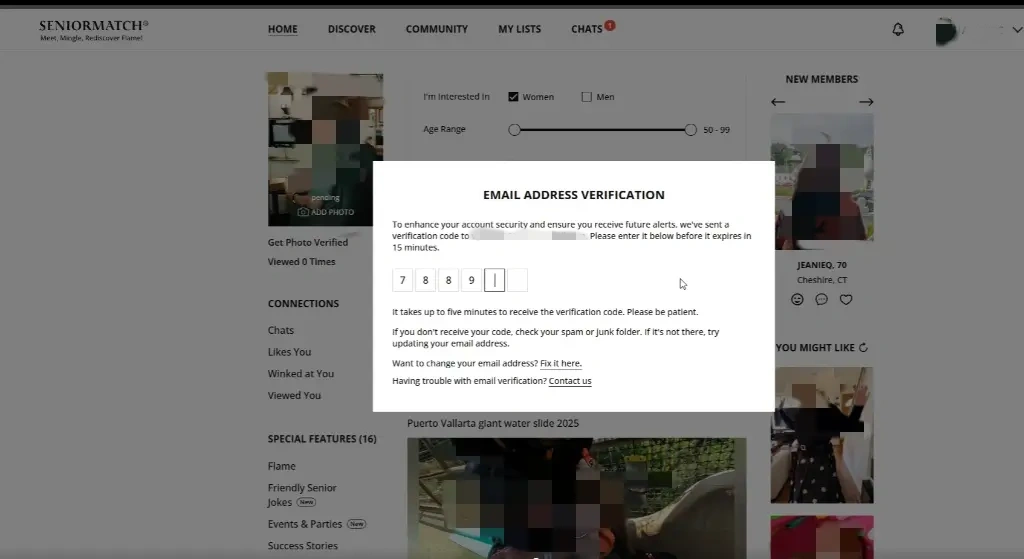
Before diving into profile browsing, SeniorMatch required an email address verification step. A prompt appeared asking for a verification code sent to our inbox.

The platform also pushes users toward profile completion. A setup screen encourages new accounts to upload clear, well-lit photos. SeniorMatch’s own page claims users can get “10X more profile views” by posting photos. This is a platform claim, not an independently verified result, but it highlights the system’s emphasis on visual completeness.
The setup flow adds friction through email verification, photo prompts, and profile-completion nudges. This can encourage more complete profiles, but it may frustrate users who want to browse immediately.
SeniorMatch Free vs Paid: What Can You Do Before Paying?
Understanding the free limits is crucial before investing time in any dating site. On SeniorMatch, a free account primarily serves as a browsing tool.
Without paying, you can complete your profile, view the dashboard, and browse through the “Discover” and “Community” tabs. Free access may be useful for understanding layout, profile flow, and upgrade prompts, but it is less useful for judging full communication value because messaging and deeper interaction features are tied closely to premium privileges.
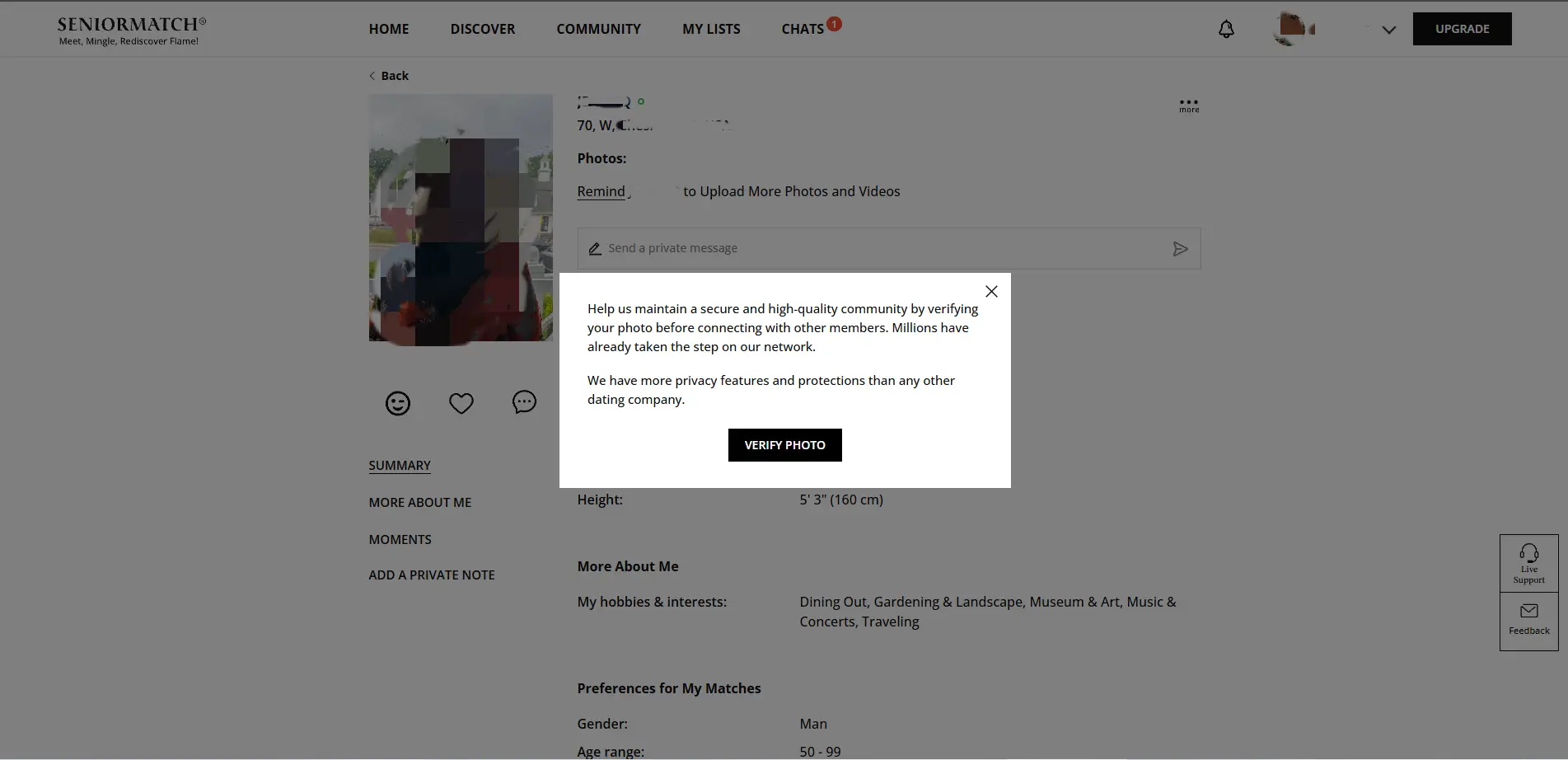
The communication paywall appears quickly. During our walkthrough, attempting to send a private message to another user triggered a “Verify Photo” prompt, which ultimately acts as a barrier alongside the premium upgrade requirement.
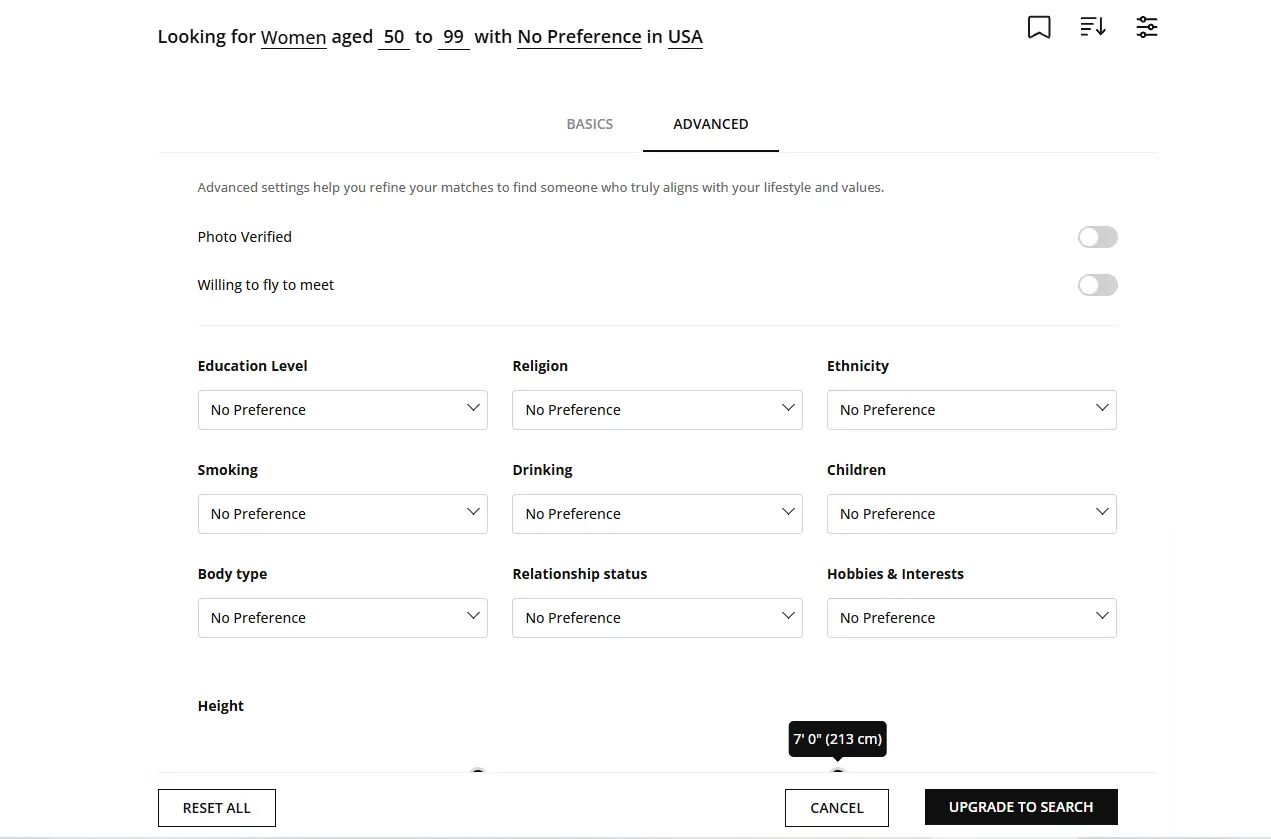
Furthermore, refining your search is heavily restricted. While basic age and location filters are available, clicking on advanced settings—such as education level, religion, body type, or whether someone is willing to fly to meet—displays an “UPGRADE TO SEARCH” prompt.
SeniorMatch Pricing: Premium Plans Shown During Account Review
When you hit the communication limits, SeniorMatch directs you to its premium subscription page.
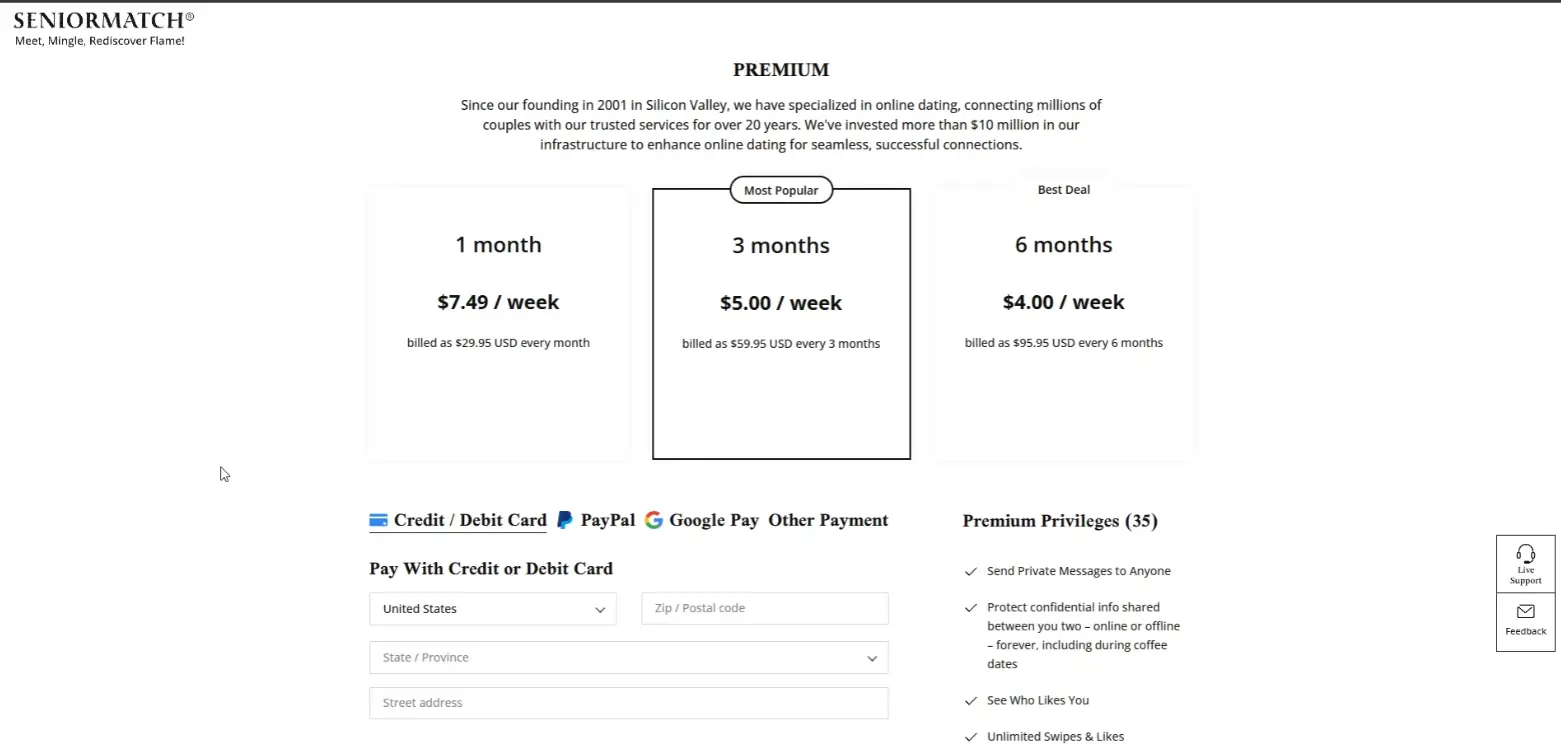
During our account walkthrough, SeniorMatch displayed premium plan examples. Pricing can change, so users should confirm the current checkout total, renewal terms, taxes, and promotional conditions before paying.
The pricing screen should be read carefully because the headline price is shown as a weekly equivalent, while the billing line shows the actual charge for the selected plan period. For example, the 3-month plan highlights $5.00/week, but is actually billed as $59.95 every 3 months.
The plan examples displayed during our walkthrough were:
- 1 month: $7.49 / week (billed as $29.95 USD every month)
- 3 months: $5.00 / week (billed as $59.95 USD every 3 months)
- 6 months: $4.00 / week (billed as $95.95 USD every 6 months)
The checkout page supported standard payment methods, including Credit/Debit Card, PayPal, and Google Pay. Because they are billed “every month” or “every 3 months,” these subscriptions operate on an automatic renewal basis unless manually turned off in your settings. Premium privileges listed on this page included sending private messages to anyone, seeing who likes you, and unlimited swipes and likes.
Search, Profile Browsing, and Community-Style Features
The user interface on SeniorMatch feels more extensive than a simple swipe-based app.
The main dashboard features navigation tabs for Home, Discover, Community, My Lists, and Chats. Beyond traditional profile browsing, the platform integrates visible community-style areas. The sidebar navigation displayed sections like Friendly Senior Jokes, Events & Parties, and Success Stories, alongside interaction tabs like Likes You, Winked at You, and Viewed You.
This structure may appeal to users who want a broader social network experience alongside their traditional dating search, though it can feel cluttered if you prefer a simpler layout.
Safety and Privacy Signals
SeniorMatch displays several account-level safety and privacy signals.

On individual profiles, there is a visible options menu that allows you to “Report” or “Hide (Block)” specific users.
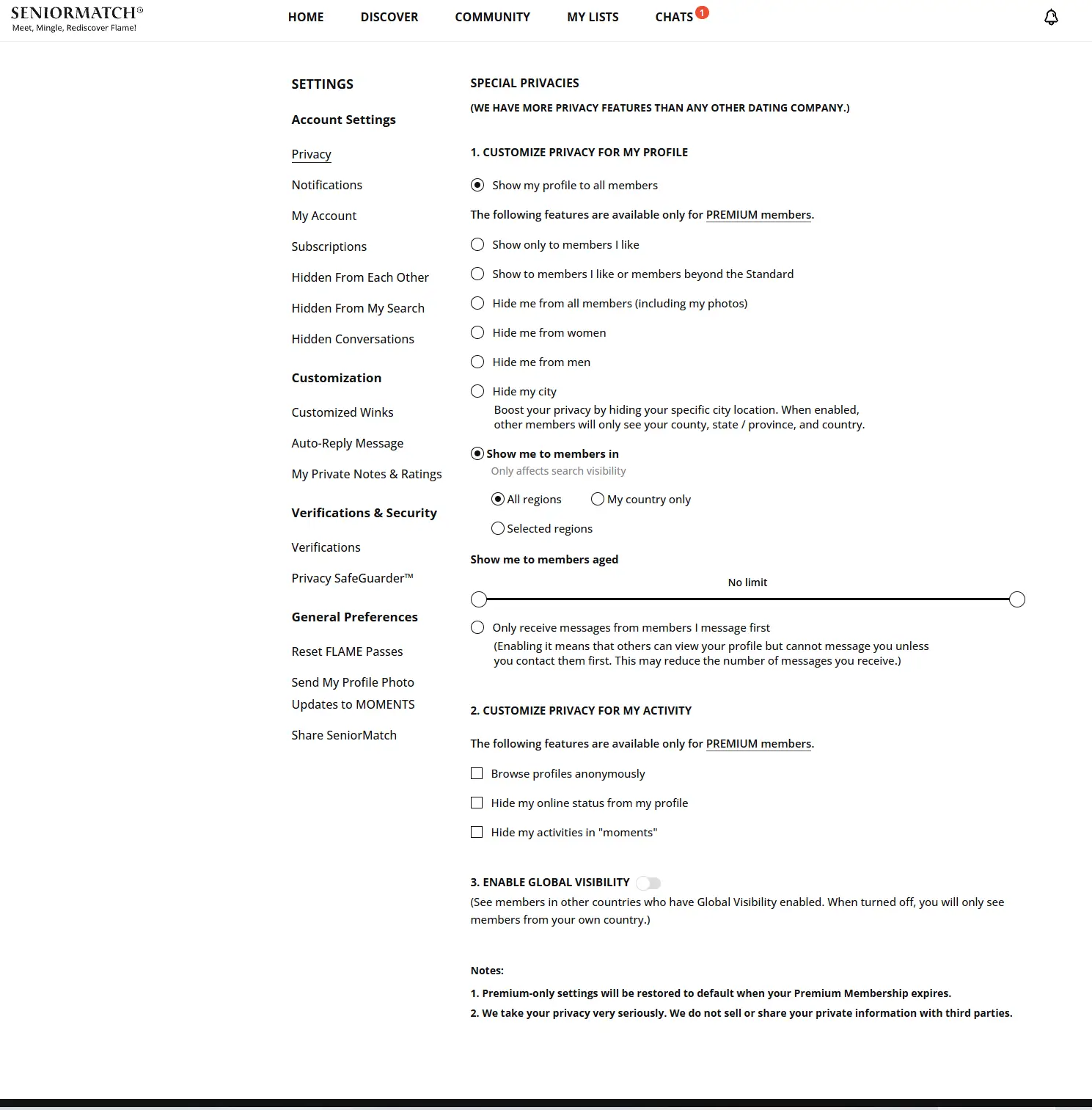
Inside the privacy settings, the platform offers basic controls over who can view your profile. The page states, “WE HAVE MORE PRIVACY FEATURES THAN ANY OTHER DATING COMPANY,” which serves as the platform’s own marketing claim.
However, it is important to note the practical tradeoffs: advanced privacy controls are treated as premium features. Options to “Browse profiles anonymously,” “Hide my city,” or hide your online status are exclusively locked behind the paid membership. While the site employs email verification and provides safety tips, users should still watch for scam behavior, as no platform is immune to fake profiles.
Managing Your Account: Subscription Renewal and Profile Settings
For users concerned about recurring costs, account management tools are located under the “Settings” menu in the sidebar.
Here, users can navigate to the “Subscriptions” tab to review active plans. If you decide to take a break from the platform, there are options to hide your profile from search results.
Because subscriptions auto-renew, users looking to leave the platform must ensure they explicitly turn off the auto-renewal feature in their account settings before deleting their profile or uninstalling the app. Users should check renewal and profile settings carefully before paying.
SeniorMatch Pros and Cons
Pros
- Enforces a strict age gate intended for singles over 50.
- Requires an email verification prompt during the account flow.
- Includes community-style interaction areas (forums/posts).
- Visible account-level reporting and blocking tools.
Cons
- Private messaging is locked behind a paywall.
- Advanced search filters require a premium upgrade.
- Anonymous browsing is a paid-only feature.
- Weekly pricing display masks the lump-sum auto-renewal cost.
SeniorMatch vs Alternatives
If SeniorMatch’s community-heavy interface feels too cluttered, or if you prefer a platform with a different matching style, it is worth comparing alternatives.
The more practical question is whether the reader wants a senior-focused environment with community-style areas and profile-browsing tools, or a more familiar senior dating brand experience. For a closer senior-dating comparison, read our OurTime Review.
FAQ
Is SeniorMatch free?
Creating an account, setting up your profile, and browsing the community tabs are free. However, practical communication, such as sending private messages, triggers verification prompts and requires a paid premium subscription.
How much does SeniorMatch cost?
During our account walkthrough, premium plan examples started around $29.95 for a one-month subscription. Prices may vary, and subscriptions are billed as a lump sum with auto-renewal.
Can you message for free on SeniorMatch?
No. Based on our observations, attempting to send a private message to another user triggers a verification prompt and ultimately requires a premium upgrade.
Is SeniorMatch legit?
SeniorMatch appears to be a real dating platform with visible account flows, email verification steps, and active premium pages. However, users should always practice standard online dating safety.
Is SeniorMatch good for singles over 50?
The platform is specifically built for this demographic. The signup process includes a strict age gate that requires users to confirm they are at least 50 years old to join.
Does SeniorMatch have an app?
Yes, SeniorMatch offers a mobile app, and download prompts are visible on their public homepage for both the App Store and Google Play.
How do you cancel SeniorMatch?
You can manage your billing through the “Settings” menu under the “Subscriptions” tab. You must turn off auto-renewal before your billing cycle ends to avoid further charges.
Explore More Dating Guides & Reviews: