

Comparing dating sites when you are over 50 usually starts with the same awkward question: is anyone actually on these things, and do I have to pay just to find out?
OurTime and SeniorMatch both say they are for older singles. They both let you browse before paying. But once someone tries to contact you, the rules split in two very different directions. One lets you answer back without handing over a credit card. The other makes that depend on whether the sender paid extra for an add-on. That difference matters more than any homepage slogan.
Here is how the two platforms actually compare once you are inside.
Evidence reviewed and article structure checked: August 12, 2026. Pricing, promotions, free-access limits, and billing terms can change, so confirm the current checkout and help pages before paying.


Bottom line: If you want to test the waters without paying, SeniorMatch gives you more room. You can answer messages from paying members. On OurTime, you mostly pay to play — even reading a message usually requires a subscription, unless the sender bought a specific extra feature.
| Feature | OurTime | SeniorMatch |
|---|---|---|
| Primary Age Focus | Marketed toward older singles; official help material states 18+ | Explicit homepage positioning for singles aged 50 and older |
| Signup Friction | SMS verification appeared during signup and return access | Email verification, age checkbox |
| Free Reply Access | Only when the paying sender has Reply for Free | Can reply when a Premium member initiates |
| Pricing Tiers | 3, 6, and 12-month plans | 1, 3, and 6-month plans |
| Cancellation / Refund Note | Cancellation stops future renewal; access continues through the paid term | Reviewed terms included a three-business-day cancellation provision |
Table of Contents
Not sure either 50+ service is the right match? If you are seeking platforms that cater broadly to experienced daters, explore our ranked guide to the Best Dating Sites for Over 40.
Quick Verdict: OurTime or SeniorMatch?
SeniorMatch is the pick if you want to dip your toe in without committing. You can reply to paying members for free, and the site actually asks if you are 50+ at signup. The tradeoff? It looks like a website from 2008, and your profile might show up on partner sites you have never heard of.
OurTime feels more like a real app. The SMS verification is strict — good for keeping out bots, annoying if you are on a landline — but once you are in, the browsing is smoother. Just know that almost every meaningful action hits a paywall. Even reading a message usually means subscribing, unless the sender paid extra for Reply for Free.
For someone trying to avoid paying before seeing any real communication value, SeniorMatch’s reply rule is easier to understand. That does not make the whole free tier generous, but it gives it a clearer purpose.
Platform Positioning and Age Focus
Here is the catch: OurTime markets itself as 50+, but its help page quietly admits it is open to anyone 18 and up. That does not mean your matches will be 25-year-olds. It just means the age gate is not as strict as the homepage makes it look. You can read more about how this specific positioning contrasts with mainstream options in our Match vs OurTime breakdown.

SeniorMatch makes its age focus explicit on the homepage, positioning itself as a dating community for mature singles over 50. That is a clearer demographic signal than a generic senior-dating label, but it remains brand positioning rather than proof of a member’s identity or age.

Signup and Account Access
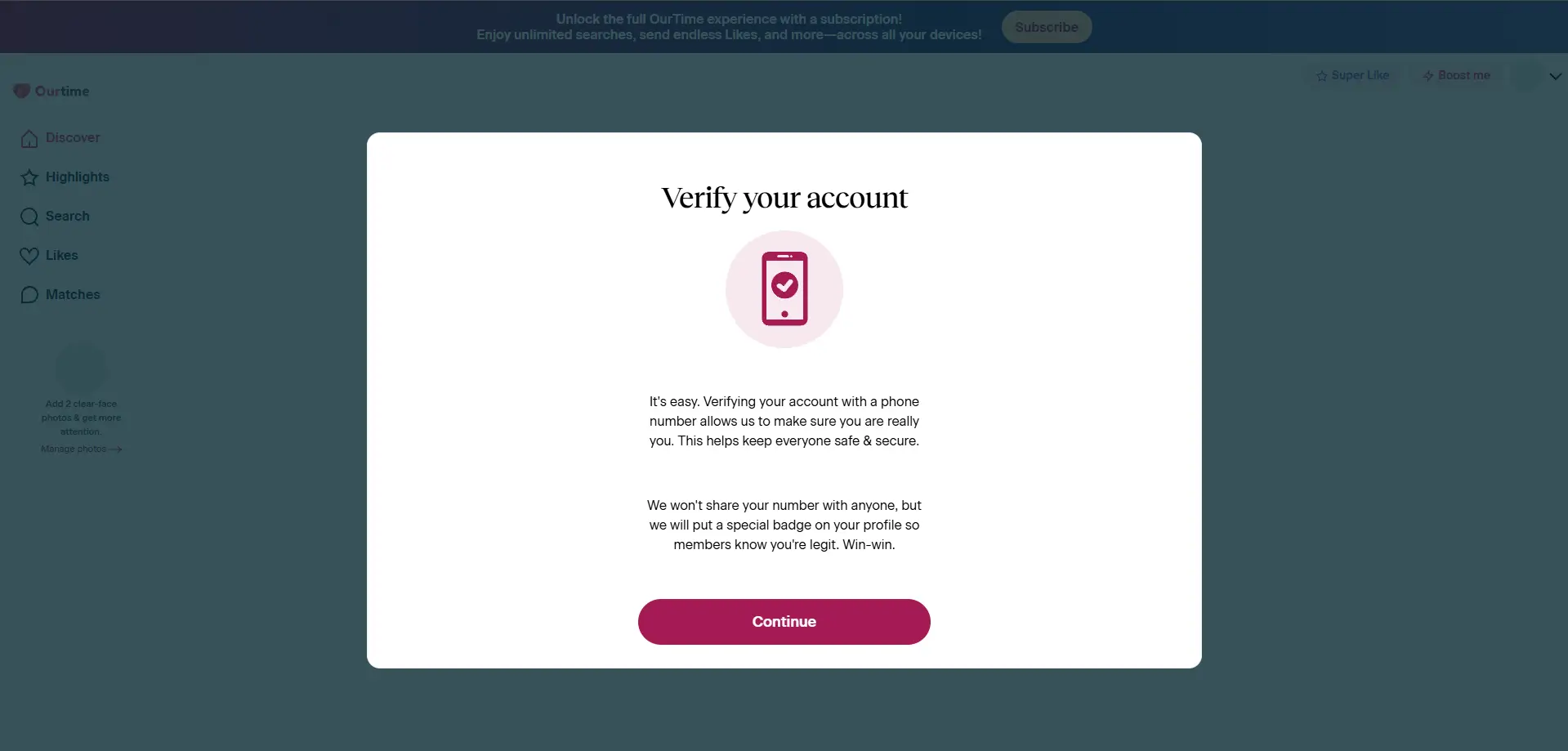
OurTime wants your phone number. Then it wants it again when you log back in. If you are the kind of person who keeps your phone in another room, or if you have spotty reception, this gets old fast. The photo upload is also mandatory before you see anything useful. All of this adds friction, especially for the exact demographic — older users — the site claims to serve.
SeniorMatch takes a more traditional route. Email verification, age checkbox, done. During profile setup, a prompt claimed that adding a photo gets you “10X MORE PROFILE VIEWS.” That is a promotional claim, not an independently verified result. But it shows how the platform nudges you to complete your profile without locking you out entirely.
What You Can Do Before Paying
Neither site lets you actually date for free. But they let you window-shop differently.
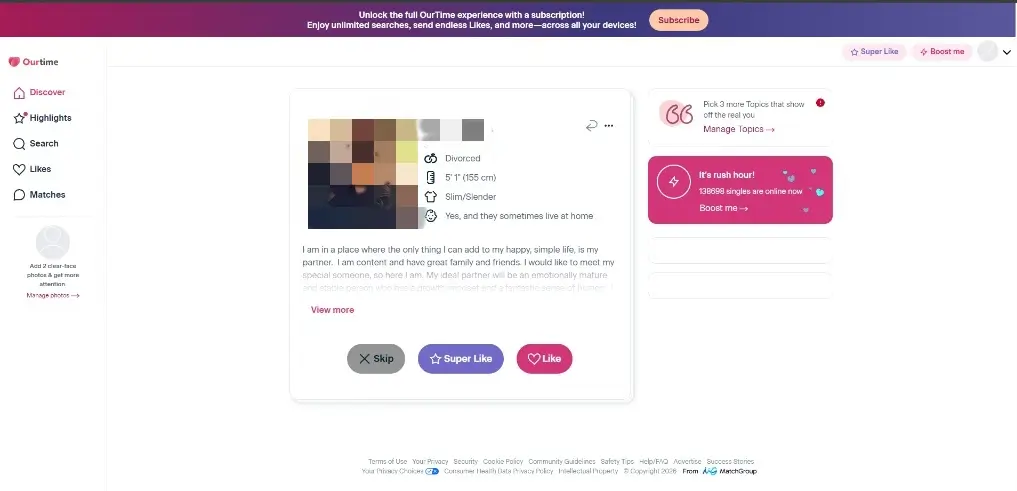
On OurTime, you can browse profiles and send Likes. That is useful for one thing: checking if anyone in your area looks remotely interesting before you pay. But try to read a message? Paywall. Try to write back? Paywall. Our full OurTime Review documents the free dashboard, messaging limits, and subscription prompts in more detail.
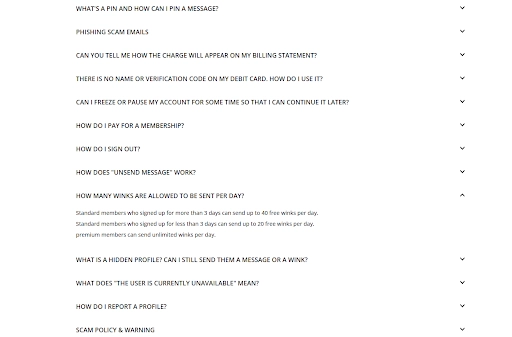
On SeniorMatch, you can set up your profile, upload photos, and look around. Same deal — browsing yes, starting conversations no. But here is the difference: if a paying member messages you first, you can answer. That gives the free account a real, if limited, purpose.
A free dashboard is only useful if it helps you answer two questions: Are the profiles shown relevant, and can I do anything meaningful if one of them contacts me?
Messaging, Search, and Paywall Differences
This is where people get confused, so let us be clear.
On SeniorMatch, if a paying member sends you a message, you can answer back without paying. That is it. That is the whole trick. You cannot start the conversation, but you can keep it going.
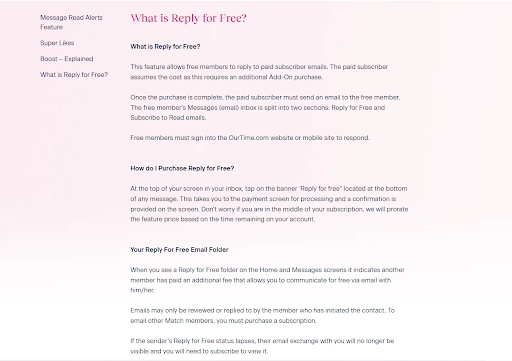
OurTime has something called “Reply for Free,” but here is the twist: the person messaging you has to pay extra for it. If they did not buy that add-on, you are out of luck. You will see a blurred preview of their message and a prompt to subscribe. That is the paywall.
Both systems can be described as “allowing a free reply.” In practice, one is built into SeniorMatch’s standard rules. The other depends on a separate decision made by the paying OurTime sender. That distinction is easy to miss, and easy to regret.
For search and browsing, SeniorMatch puts some education- and religion-related filters behind Premium access. Our SeniorMatch Review covers the signup flow, Premium restrictions, search filters, and checkout screen in more detail.
For OurTime, we observed dashboard browsing, visible profile information, Likes, and visible upgrade prompts. The available screenshots do not support a full feature-for-feature comparison of both platforms’ advanced-search systems, so this comparison is limited to the controls directly observed.
Pricing, Billing, and Cancellation Terms
Before you hand over a credit card, read the billing terms. The lowest monthly figure is not the number that matters.
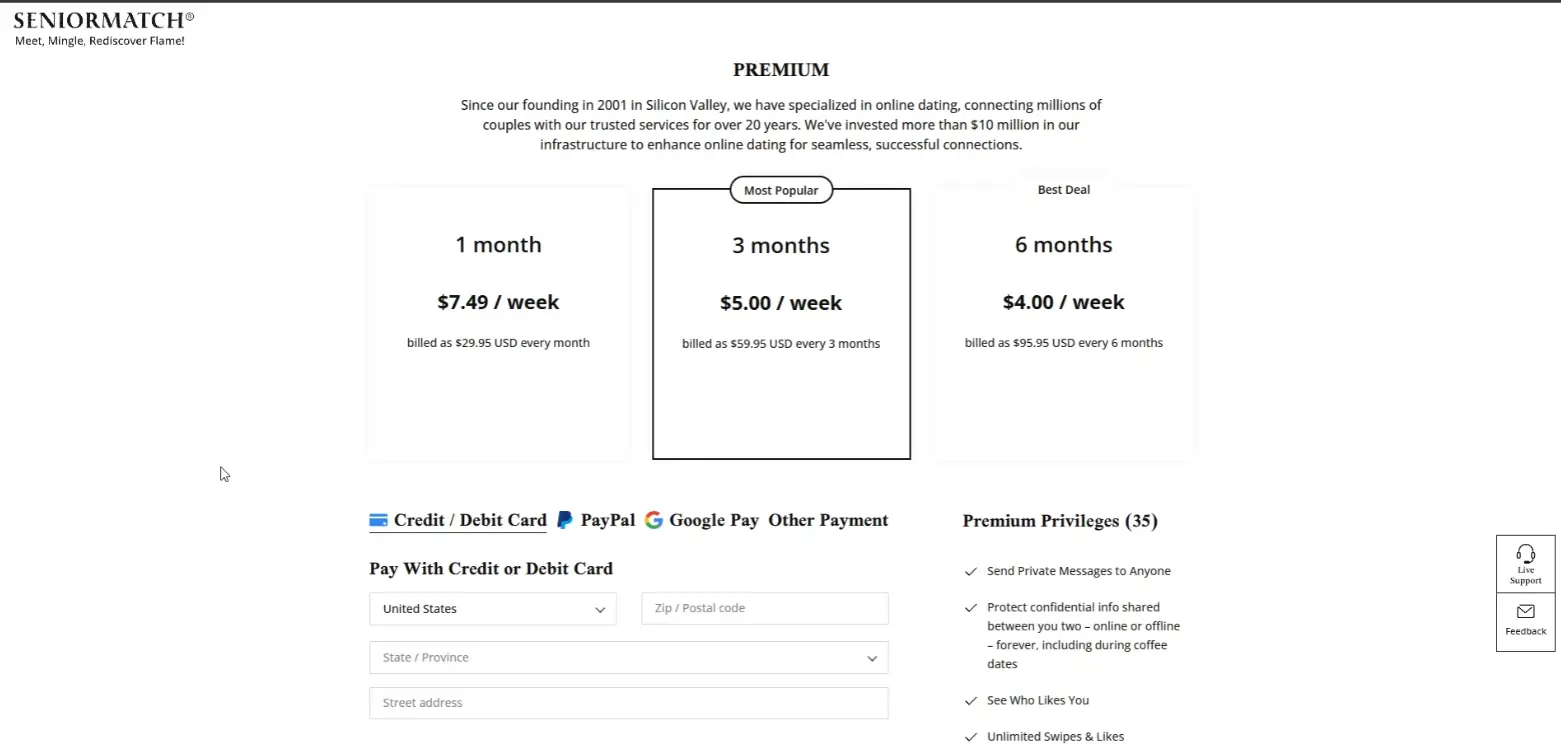
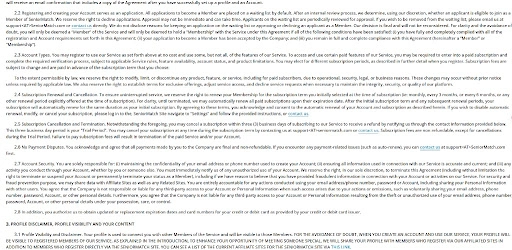
SeniorMatch’s checkout showed 1-, 3-, and 6-month plans, with a weekly breakdown next to the total. The reviewed terms also included a three-business-day cancellation provision. Read the current terms yourself before paying because eligibility, timing, and regional rules may change.
OurTime showed 3-, 6-, and 12-month plans, with continuous-service renewal wording. Meaning: it auto-renews until you manually stop it. After cancellation, you keep access until the paid period ends. Desktop users can turn it off in Settings. Apple in-app subscribers have to go through their Apple ID. The usual maze.
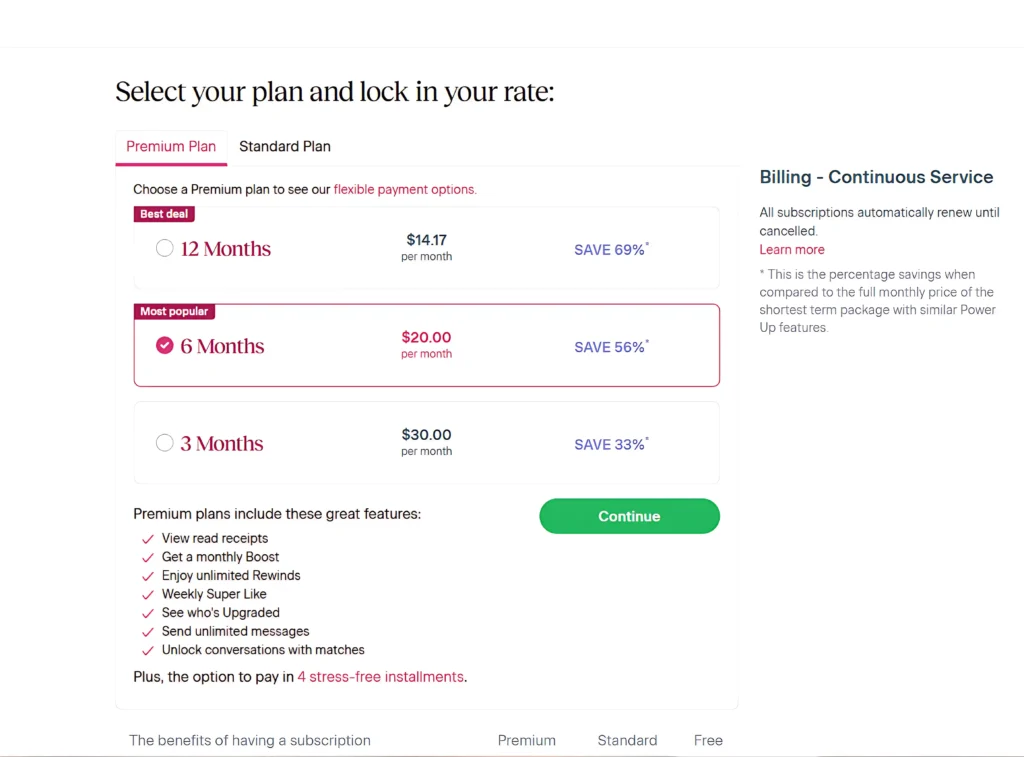
A plan can look inexpensive when the page emphasizes a weekly or monthly equivalent. The number that matters at checkout is the full amount charged and what happens at renewal.
Verification, Privacy, and User Controls
Both sites give you a report button. Both sites have some form of verification. Neither guarantees the person on the other end is who they say they are. If something feels off, trust that feeling.
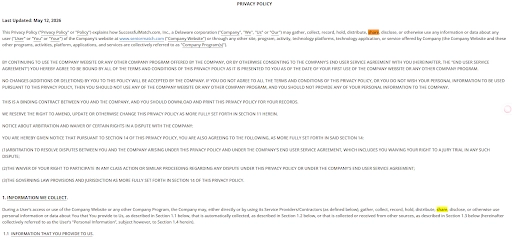
SeniorMatch’s terms note that your profile may be shown across affiliated sites or services. That might mean more visibility, or it might mean your dating profile ends up places you did not expect. That is a privacy tradeoff worth understanding before you upload detailed personal information.
OurTime’s SMS verification creates an extra barrier for fake accounts, which is good. It also creates an extra barrier for real users with bad cell service, which is less good.
As we detail in our Online Dating Safety Checklist, verification steps prove that a process was completed, not that a user’s intentions are safe. Reviewing How to Tell If a Dating Profile Is Fake can help you identify inconsistent behavior before you continue chatting or move a conversation off the app.
OurTime vs SeniorMatch: Pros and Cons
The clearest advantages and tradeoffs from the reviewed account flows are summarized below.
OurTime
- The interface actually feels like a modern dating app, not a forum from 2005.
- You can browse profiles and send Likes without paying, which lets you check if anyone in your area is active.
- The subscription management is clearly documented, so you know where to go to turn off auto-renew.
SeniorMatch
- Explicit 50+ audience positioning. You know who the site thinks it is for.
- Standard members can reply to Premium-initiated messages. That is a real free-tier feature.
- The reviewed terms include a three-business-day cancellation provision.
- Report, hide, and privacy-control options were visible across the reviewed account screens.
OurTime Tradeoffs
- Reply for Free only applies when the paying sender purchased the additional feature, so free reply access is not automatic.
- Repeated SMS verification may create access friction for users without reliable mobile service.
- Most direct communication remains restricted without a subscription or an eligible Reply for Free conversation.
SeniorMatch Tradeoffs
- Standard members cannot freely initiate private conversations.
- Advanced search and some privacy controls require a Premium upgrade.
- Your profile may be displayed across affiliated services under the reviewed terms.
- The interface and browsing style may feel more traditional compared to modern apps.
Alternatives to Consider
If neither platform feels right, SilverSingles is another senior-focused brand worth researching separately. For a broader, compatibility-led approach, eHarmony remains an alternative. If you are re-entering the dating scene after losing a life partner, explore our dedicated guide to the Best Dating Sites for Widows and Widowers — though it is not positioned exclusively around older singles. See our eHarmony Review for the platform’s documented signup process, matching framework, and paywall structure. You can also compare more dating-site options by audience and dating goal.
Final Recommendation
For many readers, the deciding factor will be the messaging paywall.
If you want to avoid paying immediately while preserving the ability to reply when a Premium member contacts you, SeniorMatch gives its standard account a clearer communication role. The tradeoff is that initiating messages, advanced search, and some privacy controls still require Premium, and your profile may be displayed across affiliated sites or services under the reviewed terms.
If you prefer a broader, more mainstream over-50 interface, OurTime may feel easier to understand. It allows some profile browsing and Likes before payment, but most direct communication remains restricted unless the paying sender has enabled Reply for Free, and SMS verification may create account-access friction.
Do not choose from the lowest displayed monthly figure alone. First compare the profiles shown, the reply rules, the full upfront charge, and the current cancellation terms.
FAQ
Is OurTime or SeniorMatch better for singles over 50?
SeniorMatch uses more explicit 50+ positioning and lets standard members reply when a Premium member initiates contact. OurTime uses broader over-50 marketing and may feel more mainstream, but its comparable Reply for Free feature depends on the paying sender purchasing an additional feature.
Can you use OurTime and SeniorMatch for free?
Both platforms allow some account setup and profile browsing before payment. OurTime’s reviewed free account also allowed Likes, while SeniorMatch standard members could reply when a Premium member initiated the conversation. Neither free tier provides unrestricted private messaging.
Can standard members reply to messages on SeniorMatch?
Yes. According to official SeniorMatch policies, standard (free) members can reply to messages initiated by Premium members. The Premium member must initiate the contact, and standard members cannot freely start a new private conversation.
How does OurTime Reply for Free work?
Reply for Free is an additional feature purchased by the paying sender. The sender initiates contact, and the free member receives reply access for that eligible conversation. If the sender has not enabled the feature, the free member does not receive the same reply access and may need a subscription to communicate.
Which costs less, OurTime or SeniorMatch?
It depends on when you check and where you live. Both sites run promotions, and the longer you commit, the cheaper the monthly rate looks — but you pay upfront. Compare the checkout totals, not just the per-month number.
About This Comparison

Related Reviews & Guides
Explore our independent audits, pricing breakdowns, and relationship guides: